Choose Lacerte when specialist form coverage and an established desktop review process drive the decision. Choose ProConnect when your team needs browser preparation and a closer QuickBooks Online workflow. For a new, small individual-return practice, ProConnect’s current bundles deserve a cost comparison. For a firm already efficient in Lacerte, conversion and reviewer retraining can outweigh a lower first-year quote.
The overlap is substantial: both use input screens rather than ProSeries-style forms entry, and both handle mainstream individual, business and fiduciary work. ProConnect is not limited to simple 1040s. The useful differences are which additional filings you need, how bookkeeping data reaches the return, and what happens when another person takes over review.
Lacerte vs ProConnect at a glance
| Decision | Lacerte | ProConnect |
|---|---|---|
| Preparation environment | Windows desktop; optional hosted access | Browser application |
| Entry style | Input screens | Input screens |
| Specialist modules in Intuit’s comparison | Includes 706 and 5500 | Neither is listed |
| Small-firm price example | $599 license plus pay-per-return charges | Essentials 50: $2,478 for 50 individual returns and one paid user |
| Team costs to investigate | Concurrent Fast Path licensing and optional hosting | Paid Advanced access depends on each person’s responsibilities |
| Best reason to evaluate | Coverage and reviewer productivity on difficult work | Browser access and the QBO-to-tax process |
Sources: Intuit’s product comparison, Lacerte pricing and ProConnect pricing. Prices are USD purchase offers checked September 10, 2026, excluding tax and optional services. This is a research-based comparison, not a timed product trial. Tidyflow publishes it and provides practice management alongside tax software.
If changing software is also meant to fix missing documents or unclear handoffs, evaluate that work separately. Tidyflow gives the team a shared view of each tax job while you choose the preparation engine.
Start with the forms that can settle the decision
If your firm prepares Form 706 estate-tax returns or Form 5500 employee-benefit filings, Lacerte has a concrete coverage advantage in Intuit’s published lineup. Do not confuse Form 706 with Form 1041: preparing an estate’s income-tax return is a different software requirement from preparing its estate-tax return.
For ordinary 1040, 1065, 1120, 1120-S and 1041 work, both products belong in the evaluation. “We prepare business returns” is not enough reason by itself to rule out ProConnect.
Build a coverage sheet from last season’s exceptions. Include federal forms, state and local schedules, e-file availability and inputs your team currently overrides. Use Intuit’s supported-form finder to check the product and tax year. A form’s presence does not establish how much manual work your particular return needs.
For example, a firm preparing mostly owner-operated businesses with routine individual returns should spend more trial time on the transfer from books to tax and on review. A practice with recurring estate-tax work should resolve its module requirements first; browser convenience cannot compensate for a missing required filing.
Compare one complete bookkeeping-to-return workflow
ProConnect has a clear workflow to demonstrate for QBO clients. Intuit documents starting a return from QuickBooks Online Accountant, reviewing the books and mapping accounting data to tax forms. See Intuit’s return-creation instructions.
Use a representative business client with an adjusting entry. Map the accounts, bring the figures into the return, then change one relevant source amount. Record what must be refreshed and rechecked. The important result is a reliable, reviewable set of figures, not merely a successful first import.
For Lacerte, reproduce your current bookkeeping and import process. If you rely on QuickBooks Desktop, include that application in the remote-access design. Intuit’s hosting documentation places QuickBooks Desktop hosting in specified tiers and requires an existing supported QuickBooks license. Hosting two applications together does not establish that every transfer between them is automated.
A mixed bookkeeping client base may reduce ProConnect’s QBO advantage. Count how many clients would use the connection and how many would still require an export or manual mapping. Evaluate the time saved across that real mix.
A 50-return cost example
Consider a solo preparer completing 50 individual returns, each with one state, with no business returns or optional hosting. This is an illustrative purchasing comparison using the displayed offers, not a claim that pay-per-return is Lacerte’s best available package.
| Item | Lacerte pay-per-return | ProConnect Essentials 50 |
|---|---|---|
| Base purchase | $599 | $2,478 |
| 50 individual returns | 50 × $105 = $5,250 | Included |
| Example total | $5,849 | $2,478 |
Lacerte’s pay-per-return checkout includes one state with the $105 individual-return rate. The same page lists $148 for its specified business and fiduciary return types with one state. ProConnect’s Essentials offer includes individual returns and states, with business returns charged separately.
The $3,371 difference makes a Lacerte package quote essential before a low-volume firm buys the entry offer. It does not establish that ProConnect is cheaper for 300 mixed returns, several preparers or specialist filings. Change the return mix and the calculation must change too.
For an existing firm, add migration work to the first-year comparison. At an illustrative $75 staff cost per hour, 45 hours of conversion checking and training costs $3,375. That would absorb the example software difference. In later years the recurring price and productivity difference become more important.
ProConnect does not charge every data-entry user the same way
The distinction is between Standard and Advanced users. Standard access is free and permits creating, editing and viewing returns. Printing, e-filing and several client or reporting actions require Advanced access. Intuit lists that access at $210 per user per calendar year, capped at $2,100 for ten or more paid users; bundle inclusions count toward your needs. The primary admin must have Advanced access. See Intuit’s User Access guide.
For example, two people who only enter return data need a different licensing calculation from two people who each print and file independently. Map responsibilities before multiplying headcount by a seat price. Do not add a paid user again when the bundle already includes that entitlement.
On Lacerte, remote access brings a different cost structure: the hosted service and concurrent tax-product licensing. Compare the two configurations as an annual total. “Cloud included” and “hosting available” describe different purchases.
Switching from Lacerte to ProConnect: what actually converts
Intuit lists Lacerte conversion support for 1040, 1065, 1120, 1120-S and 1041. Its conversion guide explicitly excludes state information, Forms 990 and 709, and calculated carryovers that the converter cannot obtain. Names, available carryovers and depreciation are among the data it can transfer. Read the current conversion scope.
That is a transfer of supported data for continued preparation, not a promise to reproduce every old filed return. Intuit’s Lacerte conversion instructions explain why the converted prior-year output may not match the filed result.
Use three separate checks:
- Opening data: reconcile depreciation detail, carryovers and owner or beneficiary information against the old workpapers.
- State work: identify what must be rebuilt and estimate that effort for every affected client, rather than treating it as an occasional exception.
- Historical access: retain filed PDFs, e-file acknowledgments, signed documents and the old records needed for amendments or enquiries. Verify how the firm will access them after changing its subscription.
If you have a significant 990 or 709 book, include rebuilding those clients in the migration budget. Supported preparation and supported conversion are separate questions.
A trial that tests the reviewer as well as the preparer
Run a small set of cases that exposes the differences:
- A QBO business client: map the books, make an adjustment and trace the final figures into the return. Record any repeated entry.
- A carryover-heavy individual return: reconcile opening balances, add current-year information and have a second person explain the output without coaching from the preparer.
- A specialist or multistate case: confirm required forms first, then record overrides, state-specific entries and unresolved review points.
Track total staff time, including review questions and corrections. Keep the same reviewer and source documents for both products. If browser access saves support time but makes your hardest reviews slower, the firm needs both numbers to decide.
Give the team a shared view of every tax job
A move from Lacerte to ProConnect can change where preparation happens. The questions your staff ask each other remain: has the client sent the last document, who is reviewing this return, and what is holding it up?
Tidyflow puts the request, responsible people and next steps on the job. You can establish that process while keeping Lacerte, or use it alongside ProConnect after a move. Improving visibility does not have to wait for a tax-data conversion.
Start an annual return from a job template with a matching tax organizer. The client answers and uploads in the portal, with reminders for outstanding items. A document marked “I’ll send this later” stays visible, so a submitted organizer does not hide the remaining request. Assign the preparation and review work, record due dates and keep the correspondence with the client record.
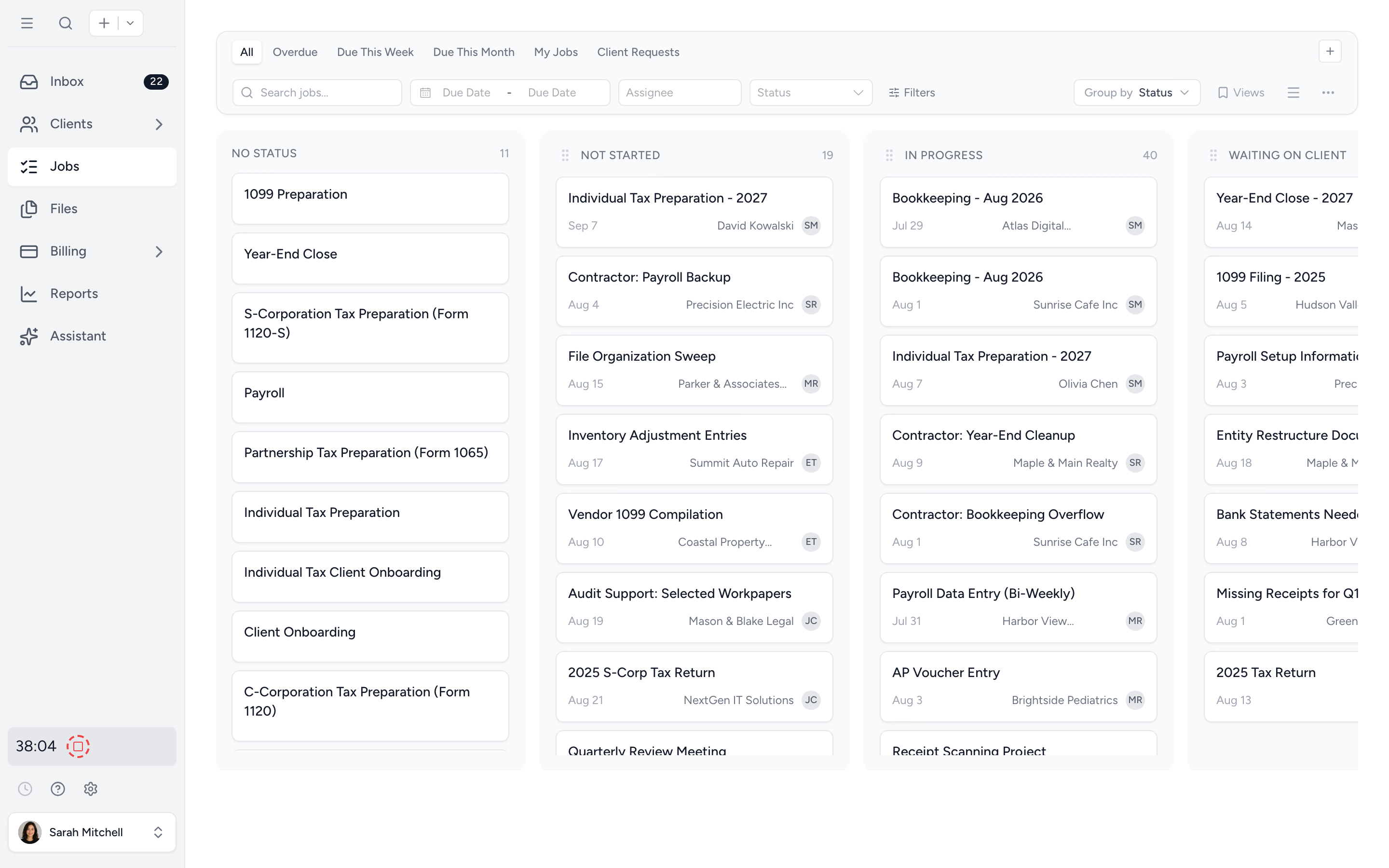
At delivery, Pro lets you request approval of the uploaded draft and link an invoice to require payment before document access, with online payments connected. Engagement letters, time tracking and billing connect the job to the work you agreed and the fee you collect. The same client record can also hold monthly bookkeeping work.
Intuit Link and Intuit Sign remain valid options for firms already using them. Tidyflow does not sync tax data with either engine or provide KBA; use the appropriate signing process for tax authorizations. Pro is required for configurable conditional questions, service-specific statuses and document approvals.
A useful trial is one client and the people who prepare and review their return. Run the organizer and handoff in Tidyflow, then check whether staff can answer “what happens next?” from the job. The ready-made templates give that trial a starting point without building your entire firm’s process first. See plans and inclusions.
Try Tidyflow
Give your next tax job a clear owner and next step.
Try the organizer and team handoff with one client. Your tax preparation stays in the engine you choose.
Which should your firm choose?
Keep or shortlist Lacerte when its specialist coverage is necessary, your reviewers already work efficiently in it, or conversion would create substantial rebuilding work. Get a volume package quote before judging it from pay-per-return prices.
Shortlist ProConnect when browser access removes a real operational problem, enough of your clients use QBO to benefit from the connection, and your required forms and conversion plan check out. For a new individual-return practice, its bundled economics are worth particular attention.
If you prefer entering directly on forms, read ProSeries vs ProConnect. If complex entity workflows are the central issue, compare Lacerte with UltraTax CS. The broader US tax software guide includes Drake, TaxAct and CCH Axcess.