
Every client. One record.
Contacts, files, notes, jobs, time, and billing for every client live in one place. Bulk import from Xero or QuickBooks Online. Custom fields, client groups, and ABN / Companies House lookups built in.
Everything for one client, in one place
Files, jobs, contacts, notes, time, and invoices live on the client record. Open it once, find everything.
Onboard in seconds, not hours
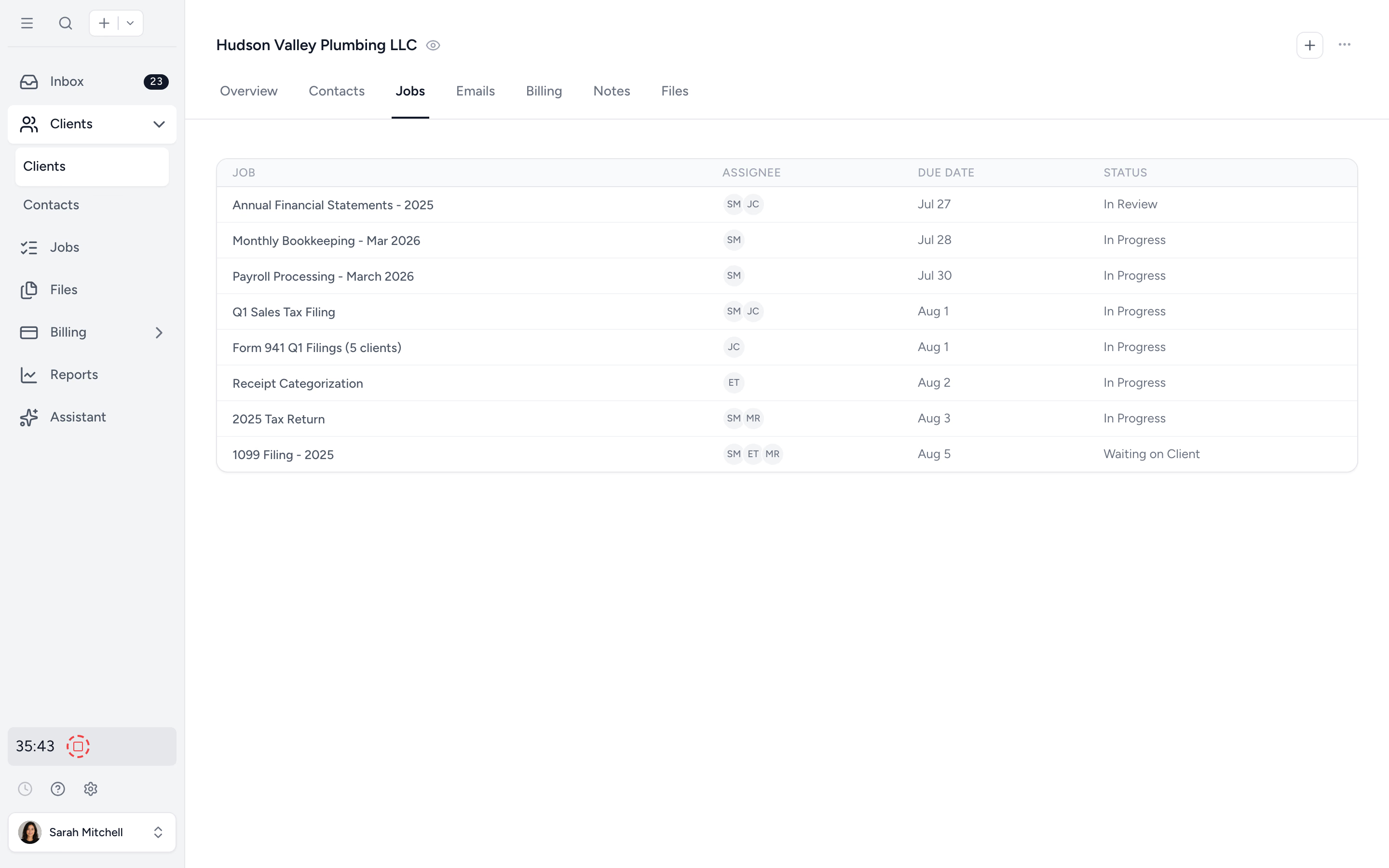
Import from Xero, QuickBooks Online, or Excel. Use ABN or Companies House lookups to skip the typing.
Manage at scale
Client groups, custom fields, and bulk operations across hundreds of clients. Archive, deploy templates, or update in one action.
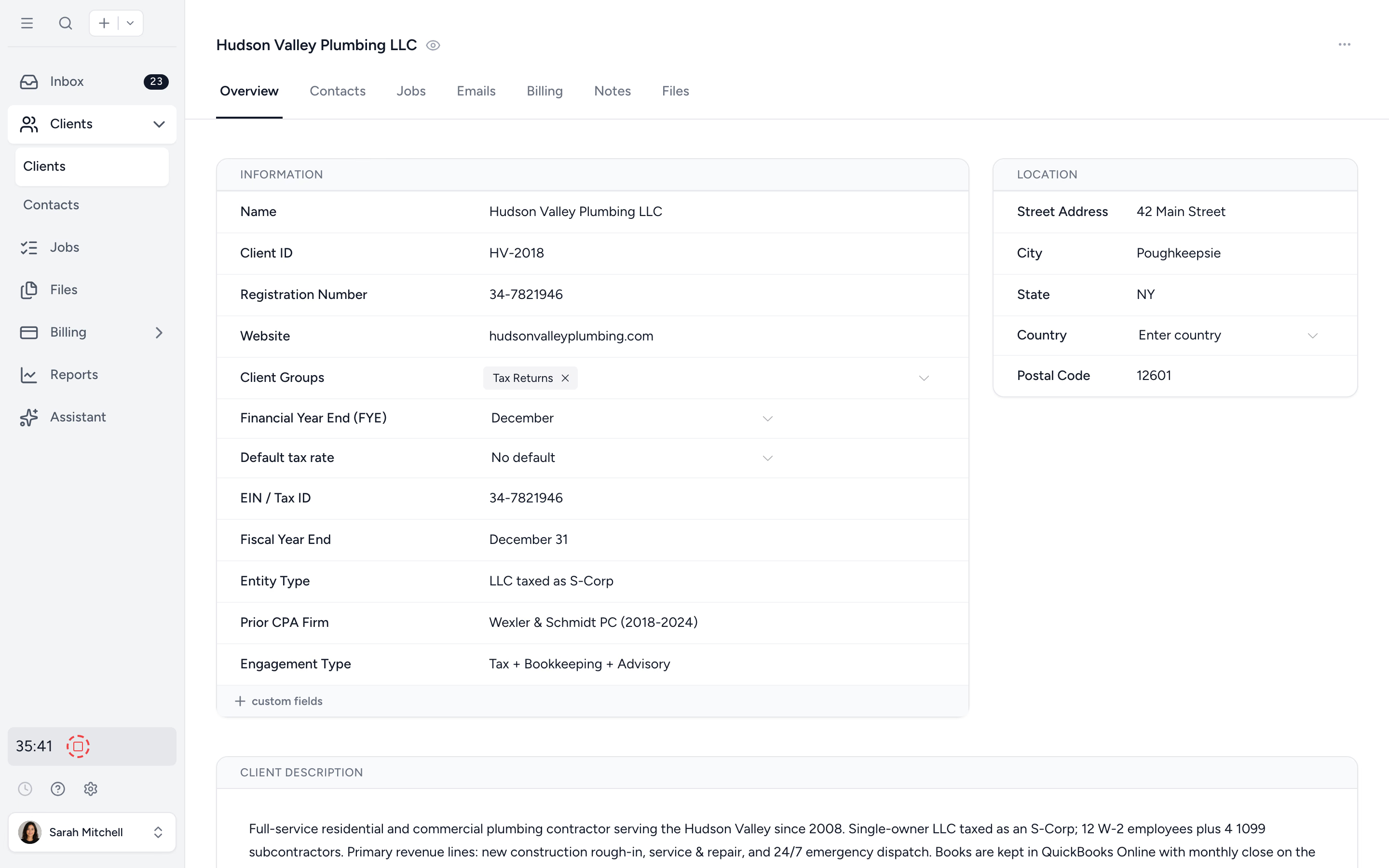
One screen. Every detail. No tab-hunting.
The client overview shows business info, contacts, recent activity, jobs in progress, files, notes, time logged, and outstanding invoices. New team members get oriented in seconds. Partners answer "where are we with X?" without picking up the phone.
- ✓ Business info, contacts, jobs, files, notes
- ✓ Time and billing visible at a glance
- ✓ Custom fields for tax numbers, industries, anything
- ✓ Activity feed with comments and @mentions
One contact. Multiple clients. One login.
A spouse on two SMSFs. A director across three companies. A bookkeeper covering five clients. Tidyflow links the same Contact to as many Clients as needed, so they get one portal login and you don't end up with duplicate records.
- ✓ Link contacts to multiple clients
- ✓ One portal login per contact
- ✓ No duplicate records to clean up later
Import from Xero, QuickBooks Online, or Excel. Look up the rest.
Switching firms or platforms? Pull your client list directly from Xero or QuickBooks Online, or upload an Excel template. Australian and UK firms can use ABN and Companies House lookups to fill the rest automatically, with region-specific fields available for other markets.
- ✓ Import from Xero, QuickBooks Online, or CSV
- ✓ ABN Lookup (Australia)
- ✓ Companies House lookup (UK)
- ✓ Region-specific business number fields
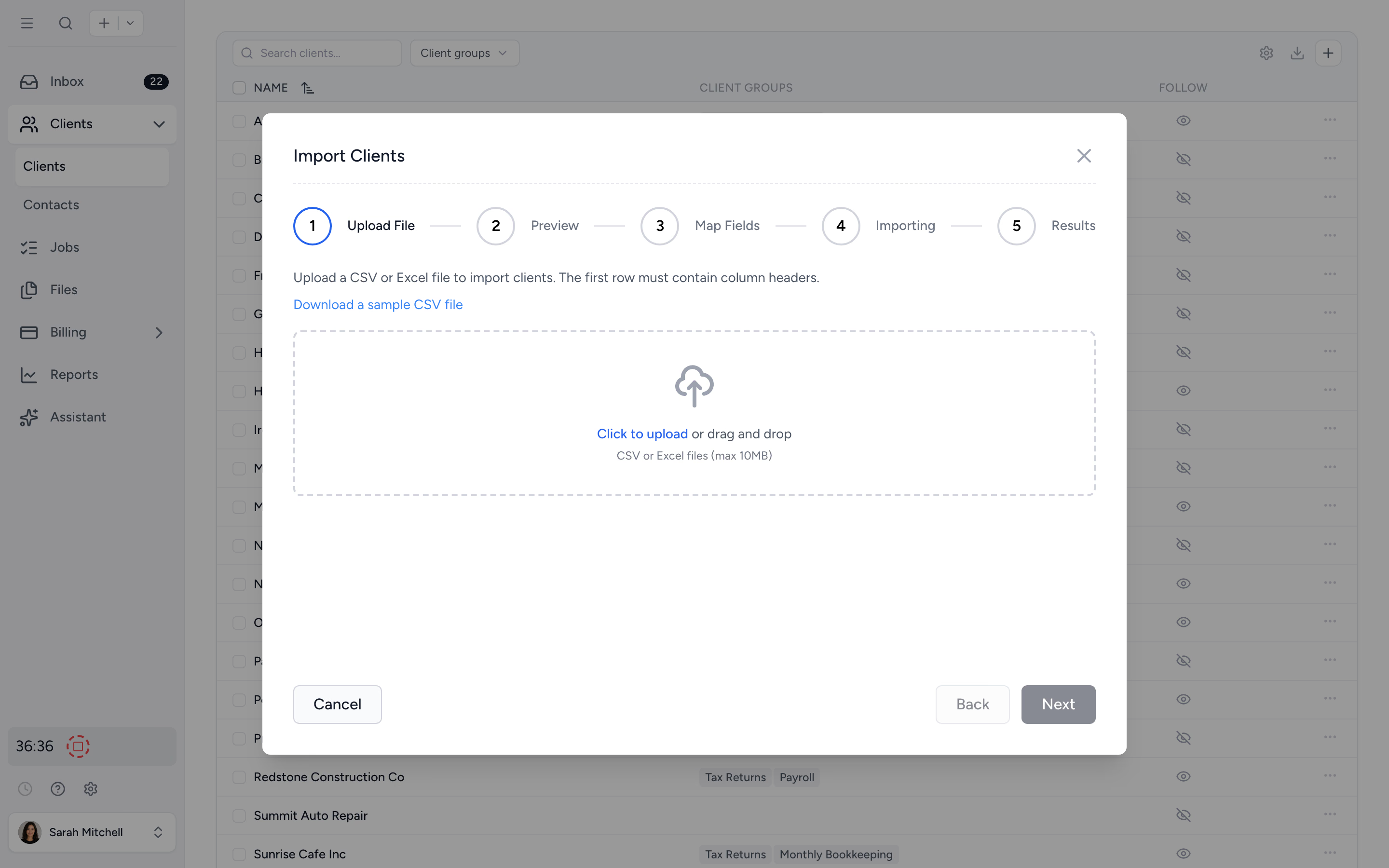
Every job and file your firm has done for them.
Open a client and see every job in progress, every job archived, every file shared, every note left. New senior takes over an account? They get the full history without a 30-minute handover meeting.
- ✓ All jobs (active and archived) per client
- ✓ Per-client file browser
- ✓ Notes, custom fields, and client groups
- ✓ Audit trail on every change
From spreadsheet of clients to a real client base in four steps.
- 1
Import or look up
From Xero, QuickBooks Online, Excel, or by ABN / Companies House lookup.
- 2
Add contacts
Link contacts to one or many clients. They get one portal login.
- 3
Group and customise
Add client groups for service type. Add custom fields your firm cares about.
- 4
Manage at scale
Bulk archive, deploy templates, or update fields across hundreds.
What changes when client data lives in one place.
Without Tidyflow
- ×Client info spread across Excel, email, and folders
- ×Same person re-entered as a contact for each client
- ×"Where do we keep the ABN for this one?"
- ×New senior needs a handover meeting per client
With Tidyflow
- ✓One record per client, one record per contact
- ✓Files, jobs, notes, billing all on the client
- ✓Custom fields for the data your firm needs
- ✓Bulk operations across hundreds of clients
Trusted by accounting firms managing thousands of client records.
10,000+ clients managed on Tidyflow today.
"The user-friendly interface and solid features have become essential in streamlining our accounting firm's operations, ensuring consistent and reliable service delivery."
 Andre CoutinhoAccounting Manager
 "Great for team collaboration, accountability, keeping track of information and ensuring nothing falls through the cracks."
 Kristine IsmaelPartner

Built for the way firms actually run client books.
Capture
- Import from Xero, QuickBooks Online, or Excel
- ABN, Companies House lookups
- Multi-contact records
- Custom fields
Organise
- Client groups
- Bookmarked filters
- Per-client files & folders
- Notes & activity log
Operate
- Bulk archive / unarchive
- Bulk-deploy folder & job templates
- Follow clients for upload alerts
- Audit trail per record
Unlimited clients. From $29/user/month, billed annually.
No per-client fees. No portal seat fees. Bring your full client base.
Client management questions firms ask us most.
Yes. Tidyflow imports clients directly from Xero or QuickBooks Online, or from a CSV/Excel template. Many firms onboard their entire client base in an afternoon.
A Client is the entity you provide services for (a business, individual, or trust). Contacts are the people you interact with: owners, directors, employees, even auditors. A single Contact can be linked to multiple Clients (e.g. a spouse on two SMSFs) without needing a separate login for each.
Yes. Capture tax numbers, industry types, registration numbers, or anything specific to your firm. Custom fields keep client records tailored without bending the standard structure.
Yes. Australian firms can use ABN Lookup, and UK firms can use Companies House. Onboarding gets faster with one less typing job.
Yes. Archive, unarchive, delete, apply folder templates, or deploy document templates to multiple clients in a single action.
Company name, address, contacts, notes, files, jobs, time, billing history, custom fields, and client groups. Everything you need for one client lives on the one client record.
Get every client in one place.
Start free for 14 days. No credit card. Import your full client base in an afternoon.
Explore more features
Workflow management
Recurring jobs, templates, and deadlines your team can't miss.
Proposals & Engagement Letters
Branded proposals and engagement letters, signed online.
Billing & Payments
Invoice from tracked time or fixed fees, and get paid online.
Time tracking
Timers and timesheets that flow straight into billing.
Document management
Secure, organized document storage, shared with your clients.
Client portal & requests
Clients upload, answer, and approve in one portal. Reminders chase for you.
Tax organizers
Digital organizers with conditional questions and last year's answers.
Email Management
A shared firm inbox, connected to your clients and jobs.
Artificial Intelligence
An assistant, agent teammates, and MCP connectors on your firm's live data.
Reporting & Insights
See where your time, billing, and revenue actually go.
Capacity Planning
See your team's workload before it hits.
Integrations
Xero, QuickBooks Online, Zapier, Make, and a public API.
Electronic signatures
Legally binding e-signatures, included at no extra cost.
Collaboration
Comments, mentions, and shared visibility on every job.
See the full feature list →
Compare every capability across plans, side by side.