
An AI assistant that knows your firm.
"Brief me on Hudson Valley before the 2pm" gets the whole picture from your live workspace. "Move Emily's Jobs to Marcus" gets it done, after your approval. Smart Classification names client uploads on its own. Hours of admin, gone.
Ask, then act
Answers from your live workspace. Drafts and bulk changes on instruction, applied only when you approve.
Delegate whole Jobs
@mention the agent on a stuck Job. It works it, posts progress, and reports back in the feed.
Uploads name themselves
Smart Classification reads each client upload and queues the name and folder it should have.
Ask your firm a question. Then tell it what to do.
"Which clients still haven't sent everything we asked for?" gets the list, client by client. "Reassign Emily's most urgent Jobs to Marcus" gets a confirmation card. Approve it and the Jobs move.
- ✓ Live access to jobs, checklists, clients, files, inbox, invoices, time, and proposals
- ✓ Structured answers (tables, totals) drawn from real data
- ✓ Creates Jobs, drafts emails and proposals, logs time, updates Jobs in bulk
- ✓ Summarises long threads, Job activity, and notes
- ✓ Every change shows you a confirmation card first
Stop renaming scan_0412.pdf.
Clients upload IMG_4821.jpg. Tidyflow reads it, recognises it as a contractor invoice, suggests a clean name (Contractor Invoice, ABC Electrical), and queues it for the right folder. You review the queue and approve.
- ✓ AI reads receipts, statements, invoices, and forms
- ✓ Suggests names in your firm's convention
- ✓ Suggests the right client folder
- ✓ Always one-click human approval before anything renames
- ✓Approve or cancel from the mobile app when you are away from a desk (beta)
Go from asking to delegating.
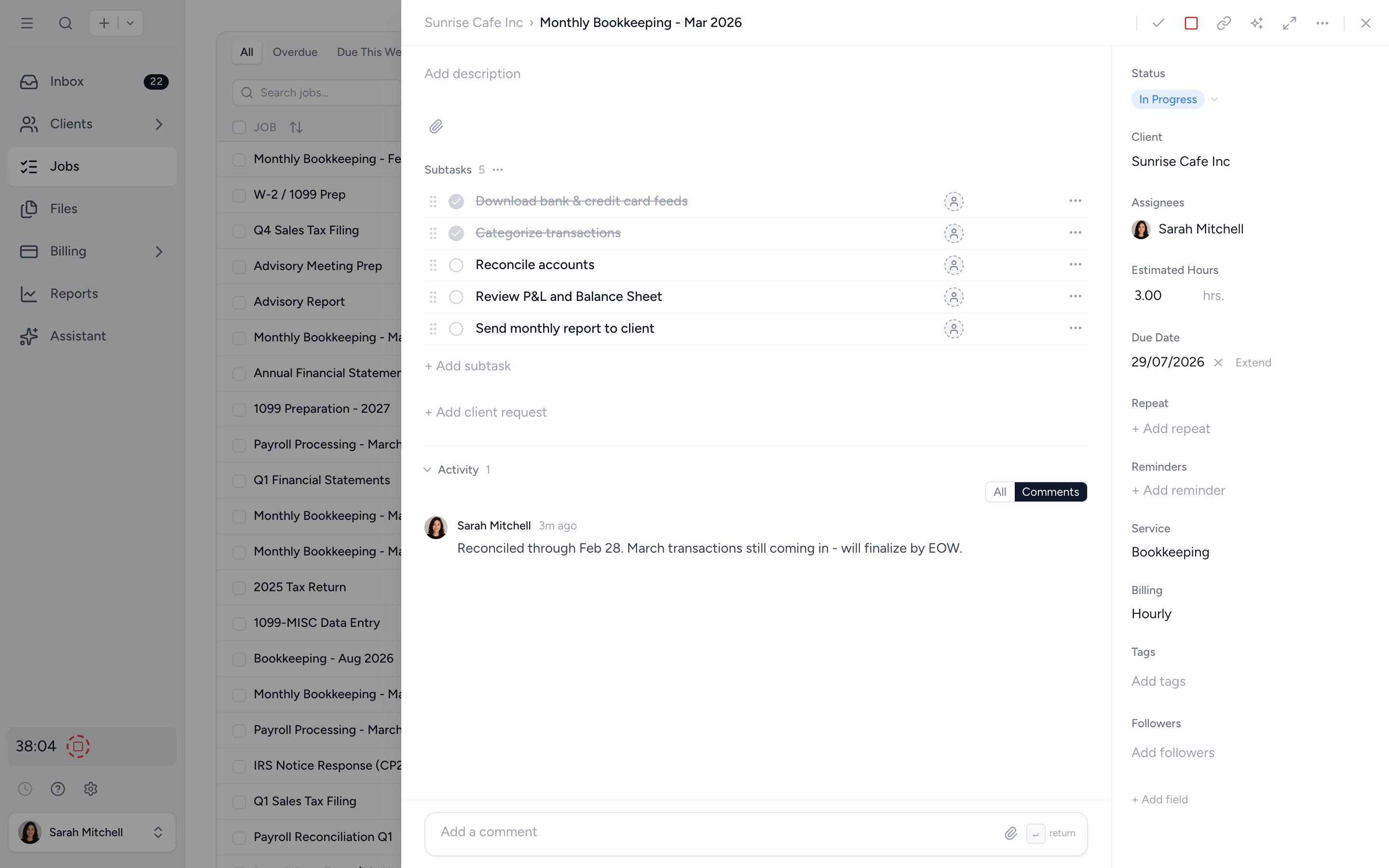
An agent teammate takes the whole Job. @mention it ("this return is overdue, work out what is blocking it") or assign it like a person, and it works the Job, posts its progress, and reports back in the feed.
- ✓ Assign or @mention it, the way you delegate to a person
- ✓ Scope each agent to the clients and abilities you choose
- ✓ Never emails your client and never posts where clients can see
- ✓ Stop, pause, or archive it at any time
Or bring Tidyflow into the AI tool you already use.
Tidyflow speaks MCP, so Claude, Cursor, or Codex connects straight to your live workspace and reads real Jobs, clients, invoices, and threads, not a stale export.
- ✓ Works with any MCP-compatible client
- ✓ Reads live workspace data, no exports or copy-paste
- ✓ You authorise the connection and can revoke it any time
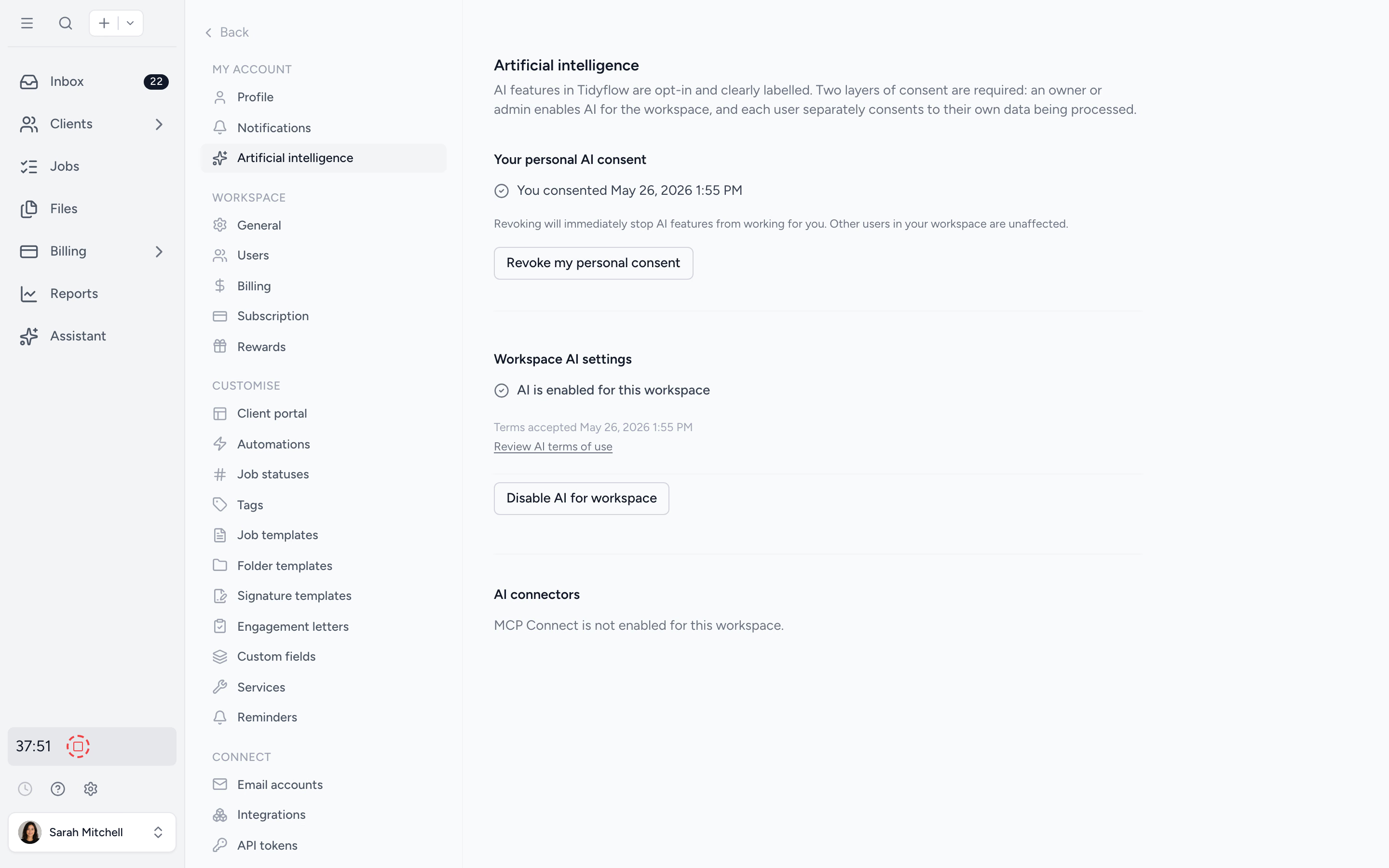
Your firm decides when AI turns on.
AI features are off until your firm accepts the AI terms of use. Once enabled, every response respects each user's role and permissions. No accidental exposure of partner-level data to junior staff.
- ✓ Firm-level opt in, controlled by admins
- ✓ Per-user permissions enforced on every query
- ✓ Clear AI settings panel for visibility
The jobs firms hand to Tidyflow AI in week one.
Chase missing documents
One question shows who still hasn't sent what, across every client. Reminder drafts follow in the same conversation.
See the prompt →Collect on overdue invoices
Every invoice 30 days past due, one polite reminder draft per client, amounts and invoice numbers included.
See the prompt →Brief me before the meeting
Open Jobs, unpaid invoices, unbilled time, recent uploads, emails, and notes, assembled in one answer before the 2pm.
See the prompt →Set up a new client
The client record, your standard template deployed, and the onboarding checklist built, from one instruction.
See the prompt →Create the repeating Jobs
Build the tax return template once and deploy it to every client in the group before the week is out.
See the prompt →Draft the engagement letter
A proposal draft built from your service types and tax rates, totals previewed, waiting for your review.
See the prompt →Check the team's week
What Sam completed, the hours Priya logged, who has room next week. Live answers instead of a report export.
See the prompt →Fix what's stalled
Jobs sitting too long in Waiting on client, reassigned, updated, and chased in one instruction, after your confirmation.
See the prompt →Runs on a routine
Assign the agent a repeating Job and it runs every occurrence on schedule: Monday digests, Friday chases, month-end checks.
See the setup →From client upload to clean queue in four steps.
- 1
Opt your firm in
Admins accept the AI terms in settings. Roles and permissions stay in force.
- 2
Ask or instruct
A plain English question gets an answer from your live data. An instruction gets done, after your approval.
- 3
Let Smart Classification queue uploads
Client files get suggested names and folders, ready for one-click approval.
- 4
Stay in control
Every AI suggestion is human-reviewed before it changes your workspace.
What changes when AI knows your firm.
Without Tidyflow AI
- ×Copy-paste data into ChatGPT (and worry about leaks)
- ×Monday morning spent working out who to chase
- ×Reassigning fifteen Jobs means fifteen edits
- ×Renaming scan_0412.pdf 100 times a week
- ×Stuck Jobs wait until someone has time
With Tidyflow AI
- ✓Ask in plain English, right in your workspace
- ✓"Chase the missing documents" drafts every reminder
- ✓"Move Emily's Jobs to Marcus" updates all fifteen at once
- ✓Every upload named and filed with one click
- ✓@mention the agent and it works the Job
Trusted by accounting firms ready to move past spreadsheet sprawl.
10,000+ clients managed on Tidyflow today.
"The user-friendly interface and solid features have become essential in streamlining our accounting firm's operations, ensuring consistent and reliable service delivery."
 Andre CoutinhoAccounting Manager
 "Great for team collaboration, accountability, keeping track of information and ensuring nothing falls through the cracks."
 Kristine IsmaelPartner

Practical AI for the work firms actually do.
Ask
- Live workspace access
- Natural language queries
- Email thread summaries
- Job & client recaps
- WIP, receivables & time answers
- Per-user scoping
Classify
- Smart Classification
- Receipt & invoice reading
- Folder suggestions
- One-click approval queue
- Approvals on mobile (beta)
- Firm-level opt in
Delegate
- Agent teammates
- Assign or @mention to start
- Per-agent client access
- Email & proposal drafts for your review
- Bulk updates across many Jobs
- Connect your AI tools with MCP
From $29/user/month, billed annually.
No setup fees. Unlimited clients on the portal. AI features included for firms that opt in.
AI questions firms ask us most.
Questions like "which clients have overdue invoices?" and instructions like "draft the reminders" or "move Emily's Jobs to Marcus". Answers come from your real data, and changes wait for your approval. See what you can ask Tidyflow Agent for the full prompt library.
Yes. The Assistant calls into your jobs, clients, contacts, and unpaid invoices in real time. Answers reflect the current state of your workspace, not a generic web response.
AI features are opt in at the firm level. Once your firm accepts the AI terms of use, the Assistant respects each user's role and permissions, so staff only see data they already have access to.
Tidyflow reads receipts, bank statements, and contractor invoices, then queues a suggested name and folder for human approval. Nothing gets renamed without you reviewing it first.
No. Tidyflow does not use your firm's data to train models. Read the security page for the full detail on how data is handled.
Every plan. The AI assistant, agent teammates, Smart Classification, and MCP connectors are included on Core, Pro, and Enterprise at no extra cost. AI is off until an owner or admin accepts the AI terms of use and each user gives their own consent. See the pricing page for the full plan comparison.
Put AI to work in your firm.
Start free for 14 days. No credit card. Try the Assistant on your real workspace.
Explore more features
Workflow management
Recurring jobs, templates, and deadlines your team can't miss.
Client management
Every client, contact, and detail in one organized place.
Proposals & Engagement Letters
Branded proposals and engagement letters, signed online.
Billing & Payments
Invoice from tracked time or fixed fees, and get paid online.
Time tracking
Timers and timesheets that flow straight into billing.
Document management
Secure, organized document storage, shared with your clients.
Client portal & requests
Clients upload, answer, and approve in one portal. Reminders chase for you.
Tax organizers
Digital organizers with conditional questions and last year's answers.
Email Management
A shared firm inbox, connected to your clients and jobs.
Reporting & Insights
See where your time, billing, and revenue actually go.
Capacity Planning
See your team's workload before it hits.
Integrations
Xero, QuickBooks Online, Zapier, Make, and a public API.
Electronic signatures
Legally binding e-signatures, included at no extra cost.
Collaboration
Comments, mentions, and shared visibility on every job.
See the full feature list →
Compare every capability across plans, side by side.