
Win the engagement. Get paid in the same flow.
Send a proposal as a web page. Your client reviews it, signs the engagement letter, and pays in one flow, or saves a payment method when nothing is due yet. Every invoice the proposal produces can then charge itself. No copy-paste from Word.
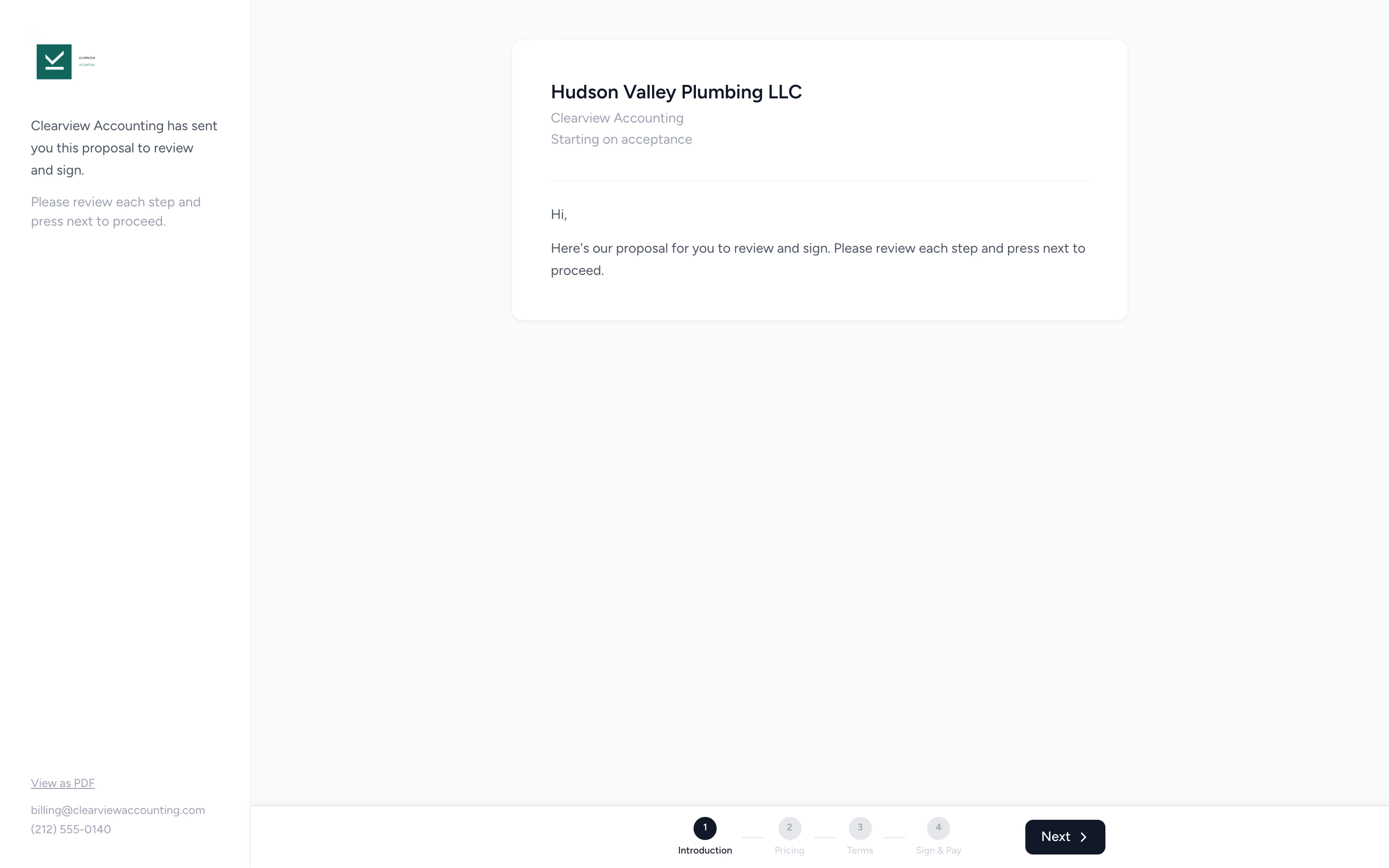
Hosted review page
Clients open a web page (not a PDF attachment) and walk through your intro, pricing options, and signing in one flow.
Sign and pay together
The client signs the engagement letter and pays in one flow. If nothing is due yet, they save a payment method instead, so every later invoice can charge itself.
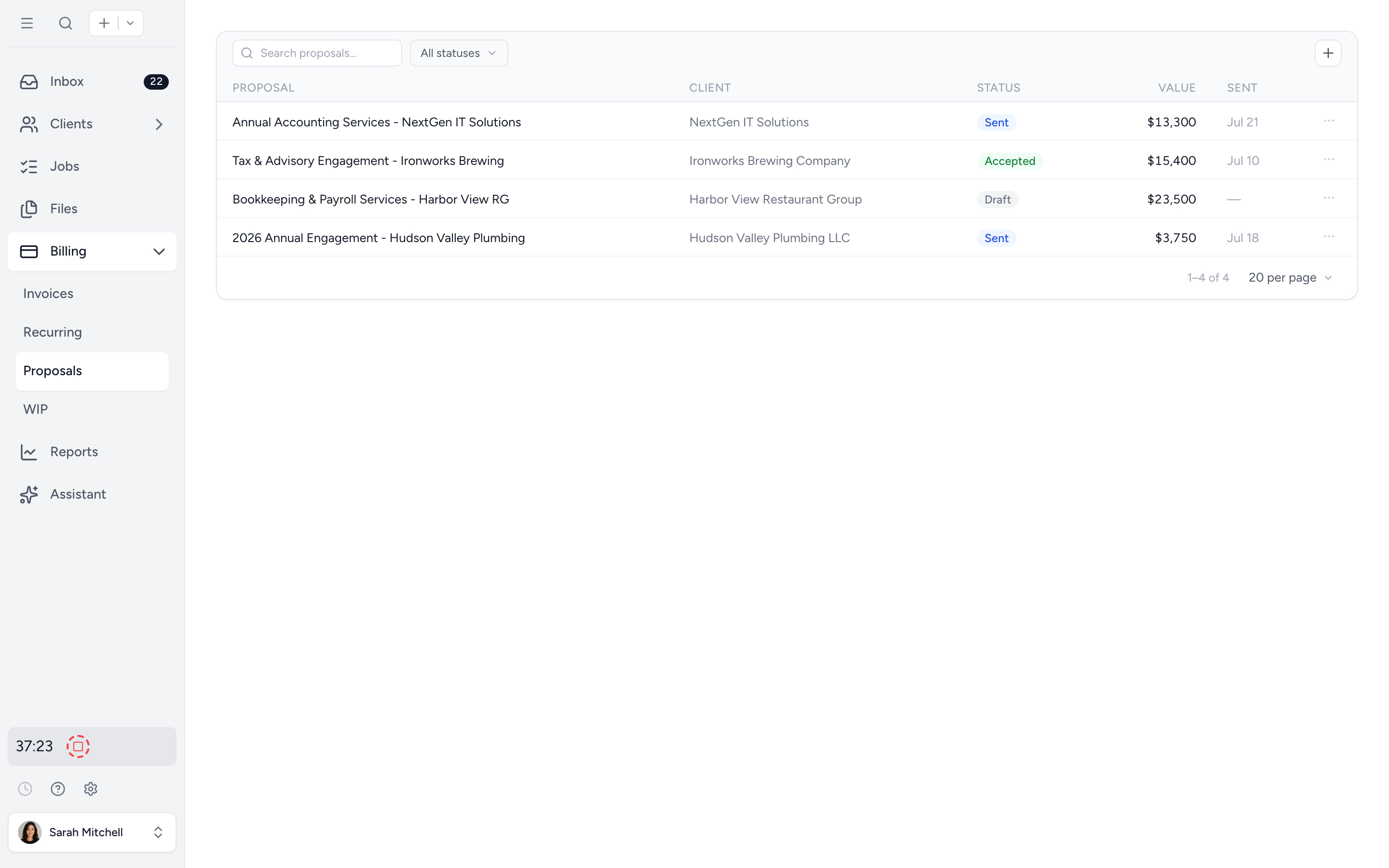
See every proposal's status
Draft, sent, viewed, accepted. Resend, copy a link, or duplicate as draft from one list.
Watch a proposal become paid work.
A three minute tour: build and send the proposal, your client accepts and signs once, and the work, invoicing, and payment follow on their own.
A web page your client walks through.
One secure link. Clients review your introduction and scope, choose a pricing tier, sign the engagement letter, and pay the first invoice. No accounts to create, no PDF attachments to chase, no version mismatch.
- ✓ Hosted review page (not a PDF attachment)
- ✓ Tiered pricing options inside the proposal
- ✓ Sign engagement letter and pay first invoice
- ✓ Card kept on file for recurring invoices
Reusable engagement letters your team can send in seconds.
Set up your engagement letters once in Settings. Mark one as the default. When you build a proposal, your default engagement letter attaches automatically, even when the proposal covers multiple services.
- ✓ Default attaches to every proposal
- ✓ Built-in electronic signature
- ✓ Signature events recorded for compliance
- ✓ Edit the template once, future proposals use it
See every proposal's status at a glance.
Draft, sent, viewed, accepted. The proposals list shows where every engagement sits. Resend, copy the review link, withdraw, or duplicate as draft. Find the deal stuck on "viewed" and follow up before it goes cold.
- ✓ Draft / Sent / Viewed / Accepted states
- ✓ Resend or copy the link in one click
- ✓ Duplicate as draft for similar clients
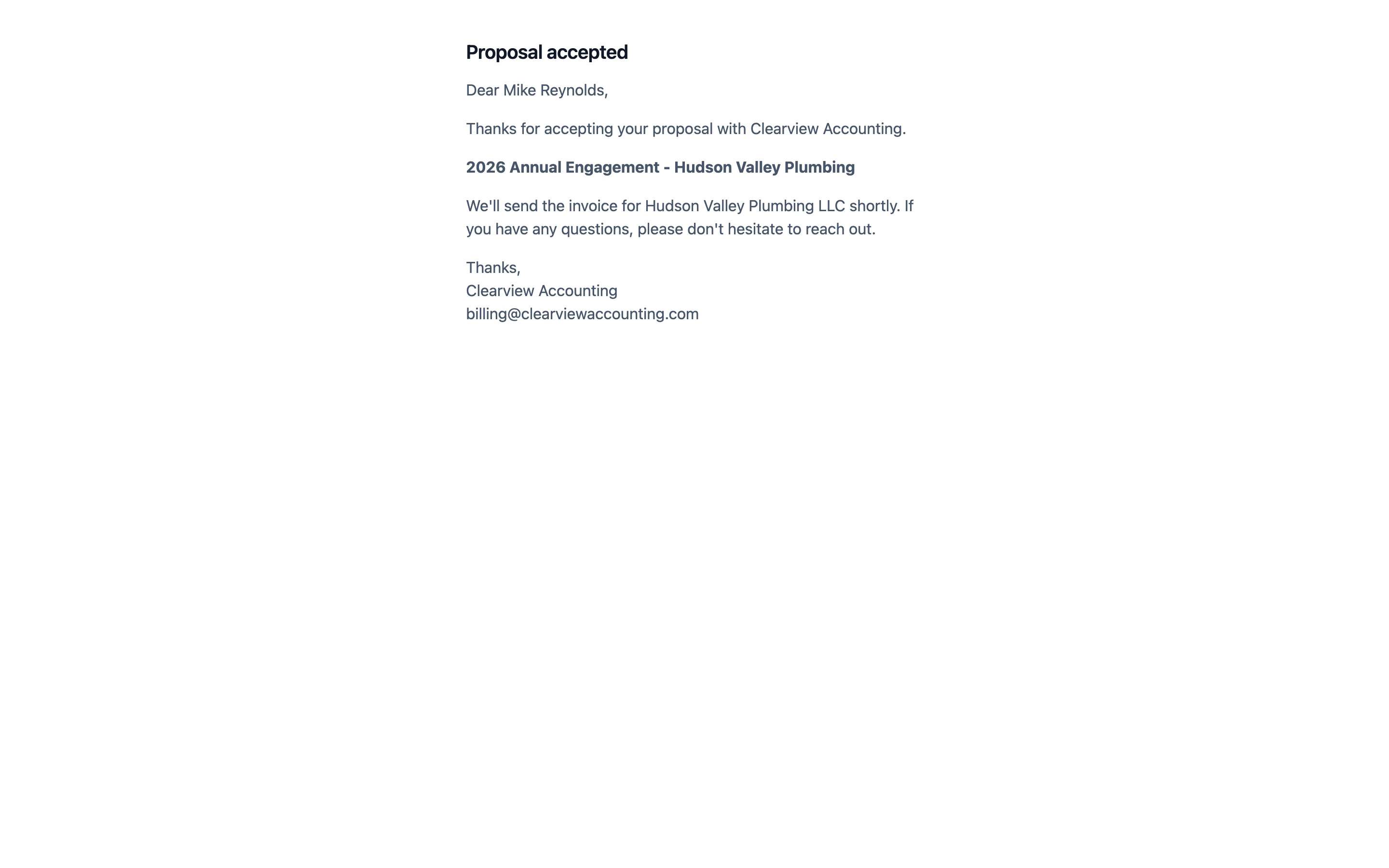
Acceptance kicks off the engagement automatically.
When the client signs, their payment method is on file and billing runs itself: recurring invoices on the schedule you set, and work priced up front invoiced the moment its job is completed. The team gets an internal notification. The billing side is hands-off from minute one.
- ✓ First invoice paid in the acceptance flow
- ✓ Payment method saved at acceptance, even when nothing is due today
- ✓ Bill on completion: agreed price charges when the job is done
- ✓ Recurring invoices run automatically (per proposal settings)
From first conversation to first invoice paid, in four steps.
- 1
Build the proposal
Your default engagement letter (set up once in Settings) auto-attaches. Add the intro and pricing tiers.
- 2
Send to the client
Share the secure review link. No client login required.
- 3
Client reviews and accepts
They sign the engagement letter and pay the first invoice in one flow.
- 4
Recurring invoices kick in
Card on file means future invoices run on the schedule you set.
When a Word template is no longer enough.
Test the whole workflow: prepare the scope, send it, sign as the client, then check what happens to the payment and recurring billing. A quick signature followed by manual re-keying is only half a workflow.
Document template
- ×Best for occasional letters managed by one person
- ×Wording copied into Word and emailed as a PDF
- ×Signatures and follow-ups tracked manually
- ×Payments and recurring billing set up separately
Tidyflow engagement letter software
- ✓Reusable approved wording for the whole team
- ✓Hosted review page with scope, pricing, sign and pay
- ✓Signature events recorded for compliance
- ✓First invoice paid in the same flow
- ✓Recurring invoices and live status connected to acceptance
Loved by accounting firms managing thousands of jobs.
10,000+ clients managed on Tidyflow today.
"The user-friendly interface and solid features have become essential in streamlining our accounting firm's operations, ensuring consistent and reliable service delivery."
 Andre CoutinhoAccounting Manager
 "Great for team collaboration, accountability, keeping track of information and ensuring nothing falls through the cracks."
 Kristine IsmaelPartner

Built for the way firms actually sell engagements.
Build
- Reusable engagement letters
- Pricing tiers per proposal
- Bill on acceptance or on completion, per line
- Duplicate as draft
Send
- Public review page (no client login)
- Sign and pay flow
- Sent and accepted email notifications
- Payment method captured at acceptance
Track
- Draft / Sent / Viewed / Accepted
- Resend or duplicate
- Signature events recorded
- Internal accept notifications
From $29/user/month, billed annually.
Send unlimited proposals. No per-engagement fees. Stripe processing fees apply at standard rates.
Proposal questions firms ask us most.
Engagement letter software turns approved wording into reusable templates, helps your team send consistent proposals, collects electronic signatures, and records an audit trail. In Tidyflow, the client can also pay the first invoice in the acceptance flow, with recurring invoices set to run automatically.
No. Clients open the review page from a single secure link. They walk through the proposal, sign the engagement letter, and pay the first invoice without creating an account.
In the same flow, the client signs your engagement letter, accepts the proposal, and pays the first invoice. Their payment method is kept on file, so the invoices you set up can charge automatically.
Yes. When nothing is due at acceptance, for example work billed on completion or recurring billing starting later, the client signs and saves a payment method instead of paying. The proposal states clearly that nothing is charged today.
Yes. Add tiered pricing options to a proposal so clients can pick the scope that fits. The selected tier flows through to the engagement letter and invoice.
Yes. Set up reusable engagement letters once in Settings. Your default attaches automatically when you build a proposal. Most firms run one default that covers a multi-service proposal; you can set up alternates if you need them.
Yes. Grab the free engagement letter template (Word and Google Docs, no email required), or use the free engagement letter generator to assemble a letter for your region, services, and fee structure. When it's ready, send it for signature in Tidyflow.
The engagement letter is signed, anything due today is paid, and billing runs from the proposal settings: recurring invoices on their schedule, and lines billed on completion invoiced when their job is done and charged to the saved payment method. The team gets an internal notification when a client accepts.
Win more engagements with less back-and-forth.
Start free for 14 days. No credit card. Send your first proposal today.
Explore more features
Workflow management
Recurring jobs, templates, and deadlines your team can't miss.
Client management
Every client, contact, and detail in one organized place.
Billing & Payments
Invoice from tracked time or fixed fees, and get paid online.
Time tracking
Timers and timesheets that flow straight into billing.
Document management
Secure, organized document storage, shared with your clients.
Client portal & requests
Clients upload, answer, and approve in one portal. Reminders chase for you.
Tax organizers
Digital organizers with conditional questions and last year's answers.
Email Management
A shared firm inbox, connected to your clients and jobs.
Artificial Intelligence
An assistant, agent teammates, and MCP connectors on your firm's live data.
Reporting & Insights
See where your time, billing, and revenue actually go.
Capacity Planning
See your team's workload before it hits.
Integrations
Xero, QuickBooks Online, Zapier, Make, and a public API.
Electronic signatures
Legally binding e-signatures, included at no extra cost.
Collaboration
Comments, mentions, and shared visibility on every job.
See the full feature list →
Compare every capability across plans, side by side.