Try Tidyflow
Get your firm organized.
Watch a 4-minute demo, or start a free trial. No credit card required.
ClickUp is a powerful, general-purpose project management tool. It can technically manage any kind of work — including accounting. The question isn’t whether ClickUp can do it, but whether it’s the best choice compared to a tool built specifically for accounting firms.
Short answer: for most accounting firms, it isn’t.
The Fundamental Problem
ClickUp is designed for software teams, marketing agencies, product managers, and general business operations. It’s feature-rich, highly customizable, and works for hundreds of use cases. But that generality is exactly the problem for accounting firms.
Accounting firms need:
- Client-centric workflow (organized by client, not by project)
- Recurring job templates (the same work, every month, for every client)
- Client portal for secure document exchange
- Invoicing tied to client work
- Compliance deadline tracking
- Capacity planning across team members
- Client request management with follow-up automation
ClickUp offers: A flexible workspace that could be configured to do all of this — but you’d spend weeks building custom views, automations, and workarounds. And it still wouldn’t have a client portal, invoicing, or e-signatures.
Quick Comparison
| Feature | Tidyflow | ClickUp |
|---|---|---|
| Starting price | $39/user/month ($29/user/month billed annually) | Free (basic); $7–12/user/month (paid) |
| Built for | Accounting firms | Everyone |
| Client portal | Built in | Not available |
| Invoicing | Built in (Stripe) | Not available |
| E-signatures | Built in | Not available |
| AI | Tidyflow Agent on every plan (AI teammates, MCP connectors) | ClickUp Brain (paid add-on) |
| Client requests | Built in with auto-reminders | Not available (custom workaround) |
| Recurring job templates | Accounting-specific | Generic recurring tasks |
| Capacity planning | Built in (team workload) | Workload view (generic) |
| Time tracking | Built in | Built in |
| Document management | Per-client folders | Generic file attachments |
| Accounting integrations | QuickBooks Online, Xero, Stripe | Zapier only for accounting tools |
| Setup time | Hours | Weeks (to configure for accounting) |
On mobile, Tidyflow has free iOS and Android apps, currently in beta. Your team can create, edit and complete Jobs, comment, triage the shared inbox, and approve what Tidyflow Agent is waiting on. Clients keep using the browser portal.
Pricing
Tidyflow:
- Core: $39/user/month ($29/user/month billed annually)
- Pro: $69/user/month ($55/user/month billed annually)
- Enterprise: from $89/user
- Free 14-day trial, no credit card, no user minimum
ClickUp:
- Free tier
- Paid plans from $7 to $12/user/month
Where ClickUp Is Stronger
Price
ClickUp’s free tier is genuinely useful, and paid plans start at $7/user/month — significantly less than Tidyflow. If budget is the only consideration, ClickUp wins.
Customization
ClickUp can be configured to do almost anything. Custom fields, custom statuses, custom views, custom automations — if you have the time and inclination to build a system from scratch, ClickUp gives you the building blocks.
Non-Accounting Work
If your firm handles non-accounting work (internal projects, marketing campaigns, product development), ClickUp handles those alongside your client work. Tidyflow is focused on accounting practice management.
Collaboration Features
ClickUp has robust team collaboration — real-time docs, whiteboards, comments, chat, and video clips. If internal team collaboration is a priority beyond client work, ClickUp has more tools for it.
Where Tidyflow Is Stronger (For Accounting Firms)
No Configuration Needed
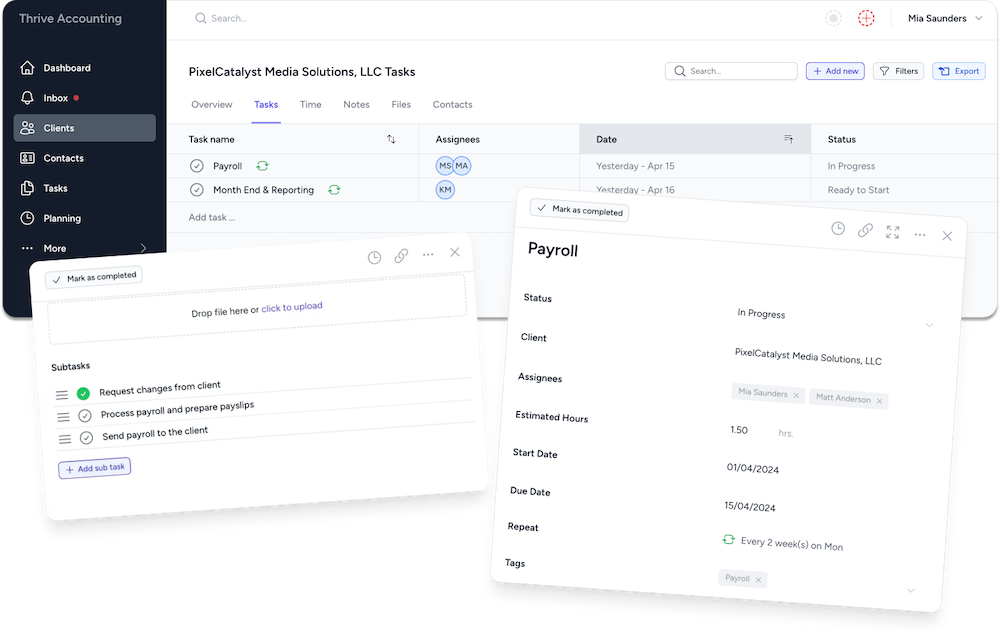
Tidyflow works for accounting firms out of the box. Create a client, apply a job template, and start working. ClickUp requires extensive configuration — custom spaces for clients, custom fields for deadlines, custom automations for recurring work — before it resembles a practice management tool.
Most firms that try ClickUp for accounting end up either:
- Spending weeks configuring it and never quite getting it right
- Under-utilizing it because the setup is too complex
- Moving to a purpose-built tool within 6–12 months
Client Portal
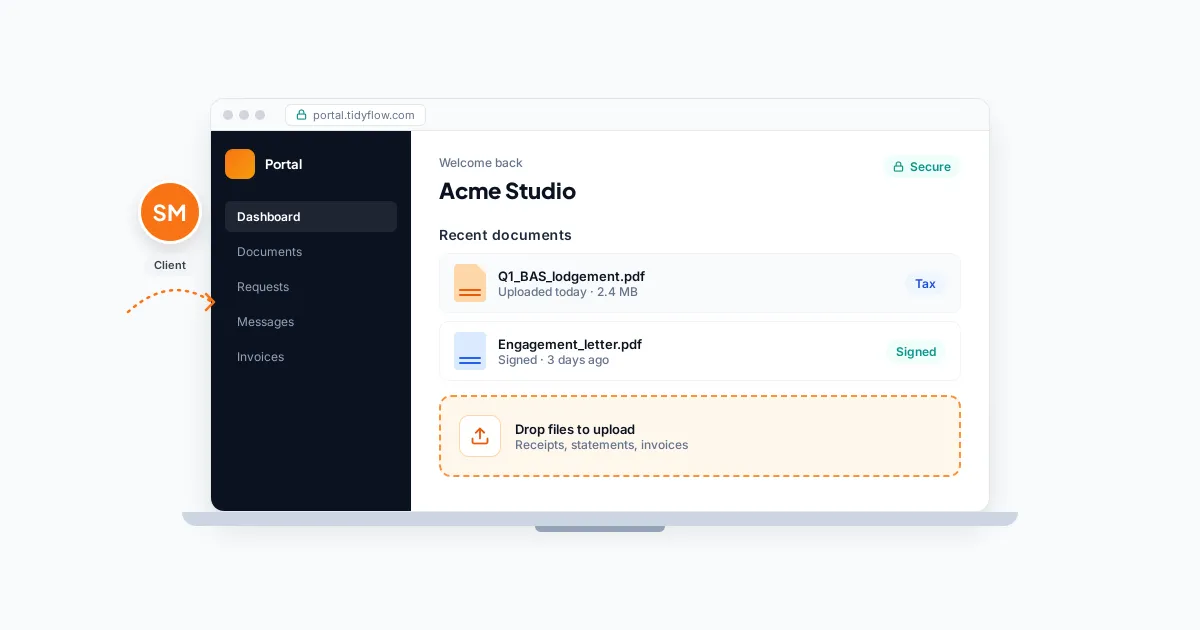
Tidyflow includes a client portal where clients upload documents, respond to requests, and sign documents. This is essential for accounting firms — you need a secure, professional way to exchange documents with clients.
ClickUp has no client portal. You’d need Dropbox, Google Drive, or a separate portal tool — adding cost and fragmentation.
Invoicing
Tidyflow bills clients with built-in invoicing (Stripe payments, recurring invoices). ClickUp doesn’t invoice. You’d need QuickBooks Online, Xero, or a separate invoicing tool.
E-Signatures
Tidyflow includes e-signatures for engagement letters and documents. ClickUp doesn’t — you’d need DocuSign or similar.
Client Requests
Tidyflow creates document requests with checklists, deadlines, and automated reminders. This is the single biggest time-saver for accounting firms. ClickUp has no equivalent — you’d manage document collection through email.
Accounting-Specific Templates
Tidyflow’s job templates are designed for accounting work — monthly bookkeeping, tax returns, BAS, payroll, year-end accounts. Apply a template and every subtask, deadline, and assignment is created. ClickUp’s templates are generic and require manual adaptation.
Client-Centric Organization
Tidyflow is organized around clients. Every job, document, invoice, and communication is linked to a client. ClickUp is organized around projects and spaces — fitting accounting work into this structure requires creative workarounds.
The Hidden Cost of ClickUp
ClickUp’s sticker price is lower, but the total cost is higher:
| Cost Factor | Tidyflow | ClickUp |
|---|---|---|
| Practice management | Included | $7–12/user/month |
| Client portal | Included | $0–30/month (separate tool) |
| Invoicing | Included | $0 (use QuickBooks Online or Xero) |
| E-signatures | Included | $10–25/month (DocuSign) |
| Setup time | 1–2 hours | 20–40 hours |
| Ongoing maintenance | Minimal | Regular (custom automations break) |
| Total (5-person firm) | $145–195/month | $35–60 + $10–55 in add-ons + setup time |
When you factor in the add-on tools and the time cost of setup and maintenance, Tidyflow’s all-in-one total often lands comparable — and everything works together seamlessly instead of being stitched together with Zapier.
Who Should Use ClickUp for Accounting?
ClickUp can work if:
- You’re a solo practitioner on a very tight budget who’s willing to spend time configuring it
- You do non-accounting work alongside client work and want one tool for everything
- You enjoy building custom systems and have the time to maintain them
- You only need task management and don’t need a portal, invoicing, or e-signatures
Who Should Use Tidyflow?
Tidyflow is the better choice if:
- You want a tool that works for accounting firms out of the box
- You need a client portal, invoicing, and e-signatures without adding separate tools
- You want to spend time doing accounting work, not configuring project management software
- You’re growing and need capacity planning built into your workflow
- You want an AI teammate you can delegate Jobs to, included in the price rather than sold as an add-on
- You value simplicity and speed over infinite customization
The Bottom Line
ClickUp is a great tool — for software teams, agencies, and general project management. For accounting firms, it’s a square peg in a round hole. You can make it work, but you’ll spend significant time and effort that you could spend on client work instead.
Tidyflow is purpose-built for growing accounting firms. It runs the full client-work loop — workflows, client requests, documents, billing, and follow-up — without configuration, add-ons, or workarounds.
Try Tidyflow free — start your trial with no credit card required.