
You already run email on Missive. Run the work in Tidyflow.
Missive handles the conversation. Tidyflow handles the jobs, deadlines, recurring work, requests, signatures, time, and invoices behind it. Turn any email into a Tidyflow job in one click, without switching apps.
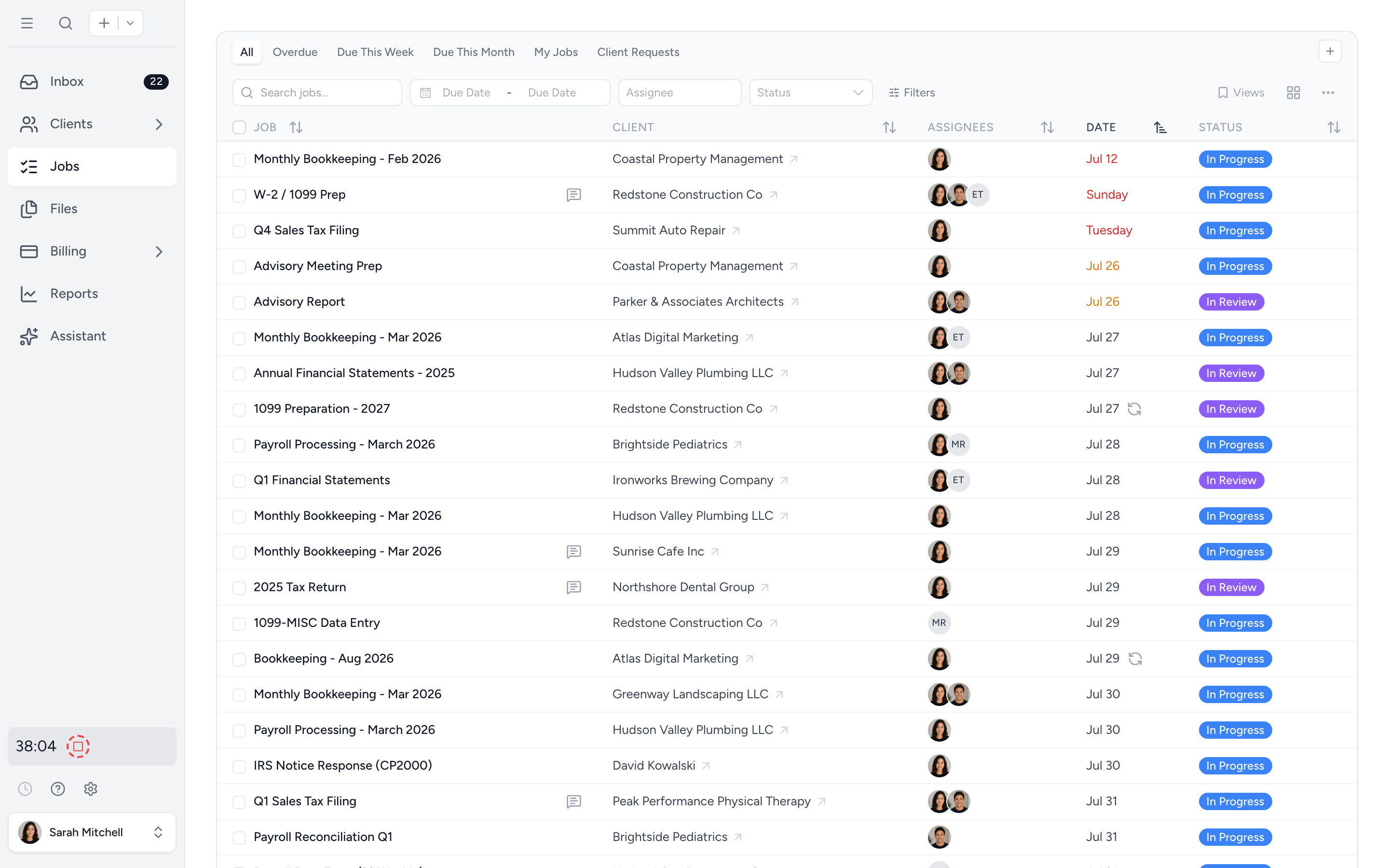
Email becomes a job
Open an email in Missive, click the Tidyflow panel, and create a job pre-filled with subject, sender, and a link back to the conversation.
Deadlines stop slipping
Every job has a due date, owner, and status. Recurring work rolls forward automatically. Missive does not do this. Tidyflow does.
The whole client picture
Jobs, files, requests, e-signatures, time, and invoices per client. The conversation lives in Missive; the work lives in Tidyflow.
From email to job, without leaving Missive.
The Tidyflow side panel appears next to any open email. A pre-filled form lets you set the client, assignee, and due date and save the job in seconds. Reopen the same email later and the panel shows the linked job with a one-click view button.
- ✓ Job title pulled from the email subject
- ✓ Sender details and a deep link back to the conversation in the job notes
- ✓ Each team member connects their own Tidyflow account
- ✓ Already linked? Open the job in one click. No duplicates.
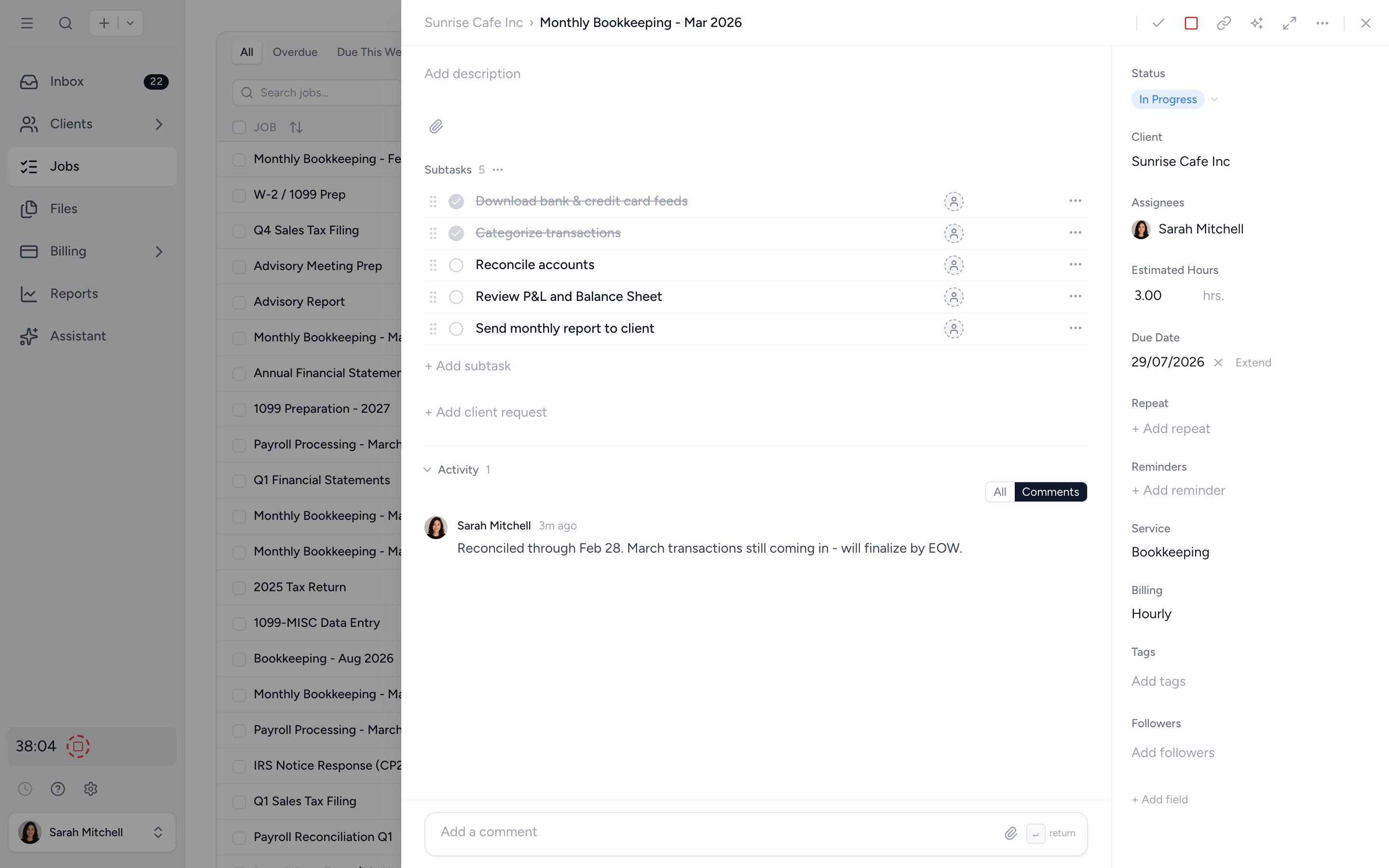
The practice management layer Missive does not have.
A shared inbox is one part of running a firm. Recurring jobs, deadlines, requests, signatures, time, and billing are the rest. Tidyflow gives the team a clean per-client view of all of it, so nothing relies on someone remembering an email thread.
- ✓ Recurring jobs for monthly bookkeeping, payroll, tax returns
- ✓ Client requests with reminders that follow up automatically
- ✓ Electronic signatures for tax returns and authority forms
- ✓ Time tracking, invoicing, and online payments in the same workspace
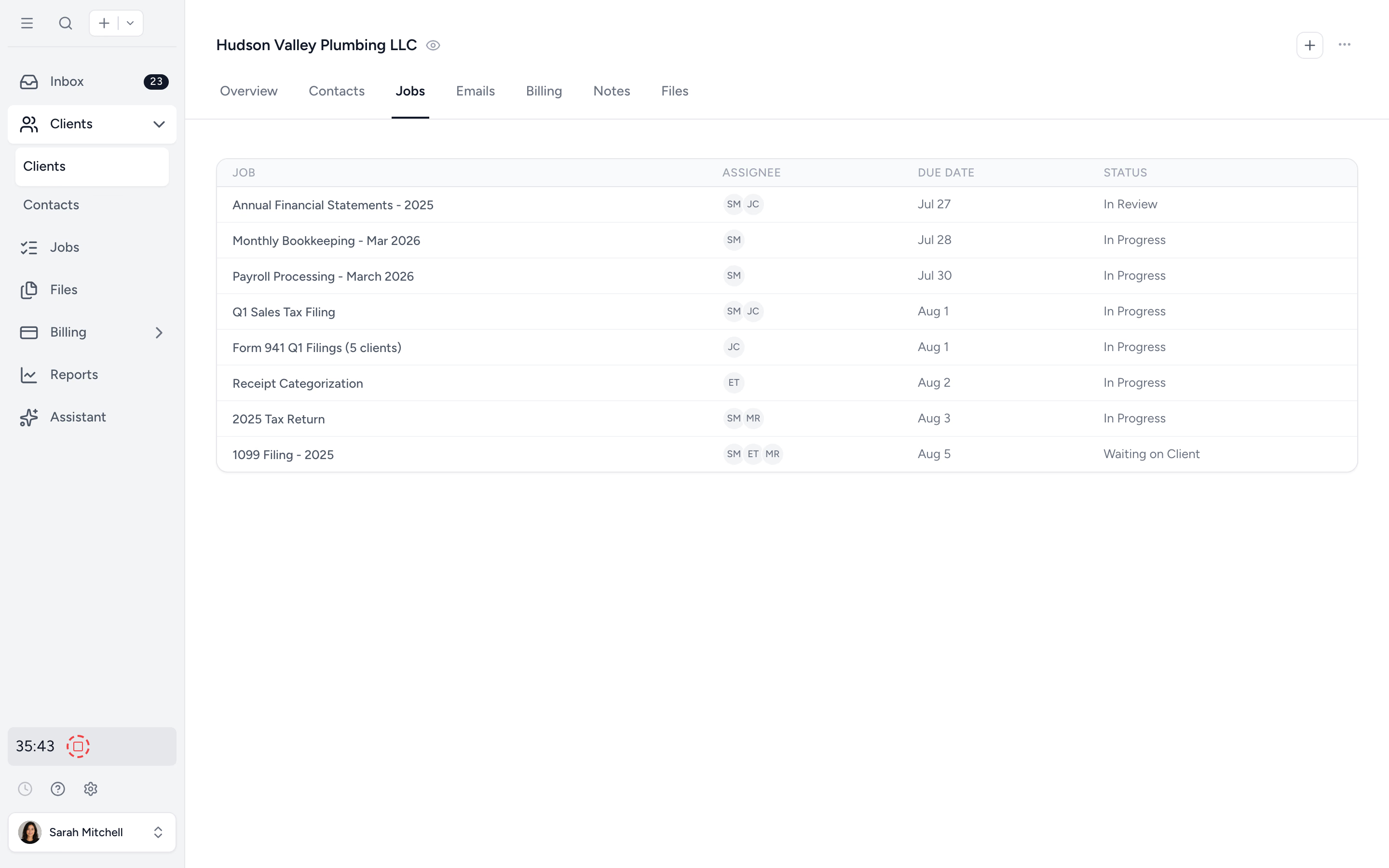
Stop chasing documents from inside the inbox.
Tidyflow sends a structured request that the client completes through their secure portal, with reminders that follow up on their own. Files land in the right client folder automatically, not as attachments scattered across email threads.
- ✓ Automated reminders on a custom cadence
- ✓ Secure client portal login, or optional no-login upload links
- ✓ Documents organised per client, ready for the next year
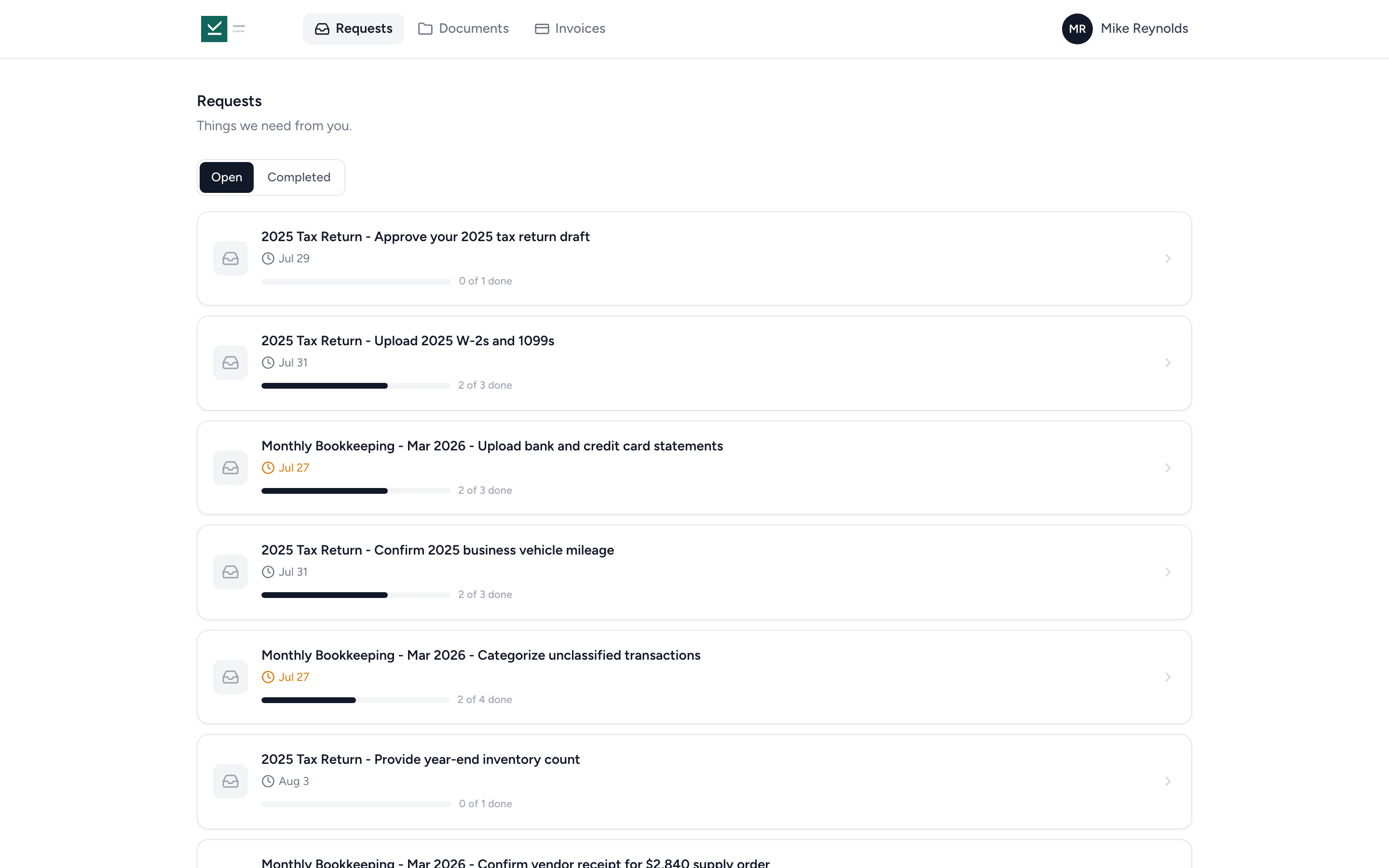
Everything Missive does not cover, in one place.
Manage
- Job board and list with deadlines
- Recurring jobs that roll forward
- Subtask checklists
- Pre-built job templates
- Custom fields and client groups
Collect
- Client portal & requests
- Auto-reminders for clients
- No-login upload links
- Electronic signatures
- Per-client document folders
Bill
- Time tracking against jobs
- Invoices and recurring invoicing
- Online payments
- Aged receivables and time summary reports
- Xero and QuickBooks Online sync
Questions from firms running on Missive.
No. Keep Missive as your shared inbox. Tidyflow runs alongside it for jobs, deadlines, recurring work, client requests, e-signatures, time tracking, and invoicing. The integration links the two so a conversation in Missive can become a job in Tidyflow in one click.
Open any email in Missive and a Tidyflow side panel appears with a pre-filled "Create job" form (title from the subject, sender details, a link back to the conversation). Set client, assignee, and due date, then save. Open the same email later and the panel shows the linked job with a one-click view button. Each team member connects their own Tidyflow account.
Recurring jobs and deadlines, client requests with automatic reminders, a secure client portal for document collection, electronic signatures, time tracking against jobs, invoicing, and online payments. Missive owns the conversation; Tidyflow owns the work behind it.
Yes. The Missive integration is included on all Tidyflow plans. You only need a paid Tidyflow account and a Missive account.
No. Missive does not expose attachments to integrations. You can upload documents directly into Tidyflow or use a client request to collect them through the portal.
See the Missive integration help article for the full setup walkthrough.
Add the work tracking Missive does not do.
Start free for 14 days. No credit card. Connect the integration in a few minutes and create your first job from an email.